Math Track#
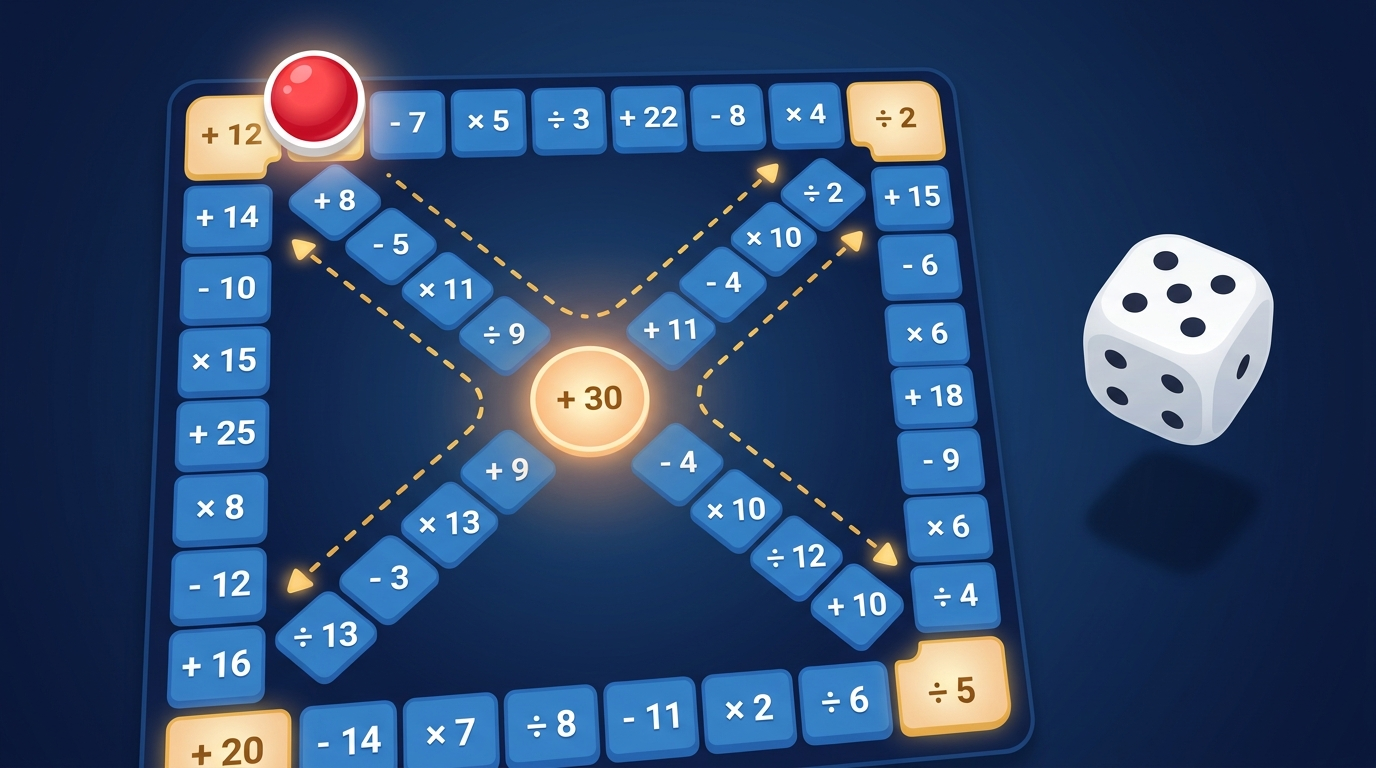
A single-player mental-math game where you roll a die and move around a square track of operation cells, keeping a running total in your head. Only the cell you land on applies its operation to the current value. When your pawn returns to the start, type the final value — if it’s correct, you advance to the next level. Each level widens the set of operations and the operand range.
LV
1
ROLLS
0
Rules#
- You start with value
0, and the pawn sits on START. - Roll a 6-sided die (1~6) and move that many cells, one step at a time.
- Only the destination cell’s operation is applied to the current value. Cells you pass through are not applied.
- If you land exactly on one of the top corners (top-right or top-left), the next roll automatically takes the diagonal shortcut (always the shorter remaining path to the start).
- CENTER pass-through rules:
- If you stop exactly on the center, your next roll continues along the bottom-right diagonal (
23 → 24 → START) and goes straight to start. - If you pass through the center (still have steps remaining in this roll), the pawn diverts onto the bottom-left diagonal (
27 → 28 → bottom-left corner), then loops around the outer perimeter to start.
- If you stop exactly on the center, your next roll continues along the bottom-right diagonal (
- When the pawn reaches (or would overshoot) the start, the final-value input panel appears.
- Enter the correct value to advance to the next Level. If you miss, you retry the same board.
Calculation Rules#
- The running total is never shown on screen. Track it in your head — the path log only records the sequence of operations.
- The
÷operator uses integer quotient (truncated toward zero). For example,7 ÷ 3 = 2and-7 ÷ 3 = -2. - Subtraction and multiplication can naturally produce negative values.
Levels#
| Lv | Operations | Operand Range |
|---|---|---|
| 1 | +, - | 1 ~ 9 |
| 2 | +, - | 1 ~ 20 |
| 3 | +, -, × | 1 ~ 20 (× uses 2 ~ 5) |
| 4 | +, -, ×, ÷ | 1 ~ 30 (× uses 2 ~ 9, ÷ uses 2 ~ 5) |
| 5+ | +, -, ×, ÷ | 1 ~ 50 (× uses 2 ~ 12, ÷ uses 2 ~ 9) |
Tips#
- The path log shows every applied operation and each shortcut entry in order. Glance at it if you lose track.
- If a particularly nasty layout comes up, tap “New Board” to reshuffle the operations (the level stays the same).
- When
×and÷are mixed, look for pairs you can simplify early. For instance, if× 7is followed later by÷ 2, try to spot groupings that cancel out.