No Look Keyboard#
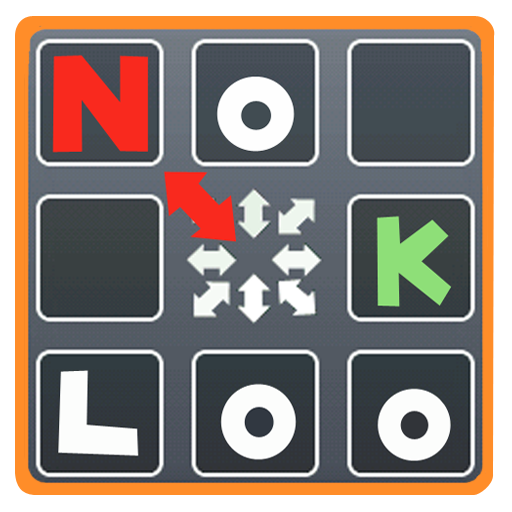
No Look Keyboard is an Android keyboard app that I released on Google Play around 2011. It has since been removed from Google Play for maintenance reasons. For me, though, it’s not just “an old app”—it was my first experience building and actually shipping a side project, which is why I wanted to preserve it here in the archive.
The idea started from a very personal moment. One day, I felt motion sick while typing something on my phone on a bus, and I wondered: “Wouldn’t it be nice if I could type on a smartphone keyboard without looking at the screen?” With that, I began building a keyboard concept designed to let you keep your eyes forward (or on something far away) and rely more on finger sensation than visual feedback.
Input method (concept)#
The UI had two large touch panels—one on the left and one on the right—intended to be operated by the left thumb and right thumb. Each touch panel behaved like a keyboard, and around each panel there were 8 outer regions, each mapped to a set of 4 characters.
The input flow was:
- While pressing a touch panel
- Rub in the direction of one of the 8 outer regions (a touch-and-rub gesture) to select that region
- Then choose one of the 4 characters by rubbing back and forth a certain number of times
It sounds complicated, but the intention was simple: instead of precisely tapping small keys, the combination of direction + repeat count might allow some amount of typing without looking at the screen.
Switching keyboard sets & customization#
Another key concept was “keyboard sets.” If you clicked a touch panel (touch and release without rubbing), it switched to the next keyboard set. By default, there were sets for English / Korean / numbers / symbols, and you could also add custom keyboard sets.
With custom keyboards, you could mix characters from English/Korean/numbers/symbols into a single set, add missing characters, or even add frequently used words—essentially creating your own personalized input board. Looking back, the UX wasn’t perfectly polished, but the idea of “rearranging inputs around what I actually use” felt genuinely fun at the time.
Demo video#
Here’s a demo video showing how No Look Keyboard worked:
After release: interesting, but too hard#
After releasing it, I shared it with friends and asked them to try it. The results were pretty clear: most people didn’t understand the concept at all. Without detailed instructions, very few could input the exact characters they wanted.
On the other hand, a small group of people—especially those who enjoy “hard problems”—praised the keyboard. That said, No Look Keyboard was not mainstream. The learning curve was high, and it was hard to feel immediate benefits compared to familiar layouts like QWERTY (or common Korean layouts).
Still, because the idea itself was novel, people often found it interesting even if they didn’t use it daily. For a while, I kept it on the store partly as a “fun demo” to show.
Why I took it down: maintenance costs & reality#
As Android kept evolving, maintenance issues accumulated and the app needed updates. Eventually, I decided it wasn’t reasonable to keep investing personal time into it, and I took it down from Google Play for practical maintenance reasons.
Looking back, No Look Keyboard wasn’t a “successful product” so much as my first experience finishing something end-to-end and putting it out into the world. Because of that experience, I began to take things like learning cost, onboarding, and mainstream usability much more seriously in later projects. In that sense, this was a very valuable failure case for me.